VSCO Downloader adalah alat online gratis untuk menyimpan foto, video, dan foto profil VSCO ke perangkat Anda dalam resolusi penuh.
Mendukung semua jenis media VSCO dalam format aslinya tanpa penurunan resolusi atau kompresi.
Dapat digunakan di Android, iPhone, PC Windows, dan Mac secara gratis tanpa watermark.
Cara Download Foto VSCO
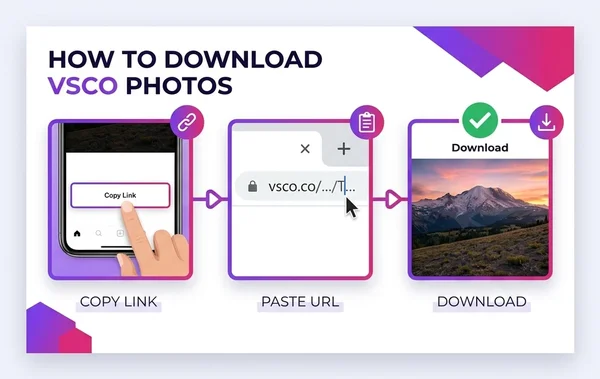
Download foto VSCO hanya butuh 3 langkah mudah kurang dari 30 detik:
Salin Link Foto VSCO
Buka aplikasi VSCO atau situs web, cari postingan yang diinginkan dan klik "Salin Tautan".
Tempelkan URL
Tempel link tersebut ke kolom pencarian di atas.
Simpan Media Kualitas HD
Klik tombol Download dan simpan file foto atau video langsung ke galeri HP atau PC.
Apa Saja yang Bisa Diunduh?
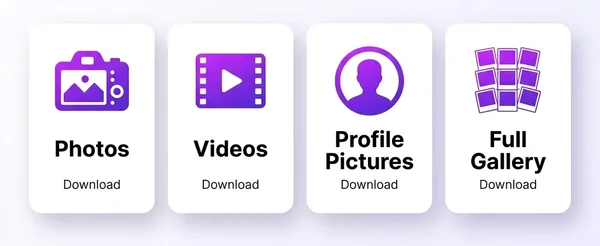
Download Foto VSCO
Simpan foto satuan dengan resolusi asli dan kualitas visual terbaik.
Download Video VSCO
Unduh video VSCO format MP4 kualitas jernih sesuai unggahan asli.
Foto Profil (PFP)
Ambil foto profil akun publik VSCO dalam resolusi tinggi.
Galeri Lengkap
Simpan berbagai foto dari galeri kreator favorit dengan cepat.
Keunggulan VSCO Downloader Kami
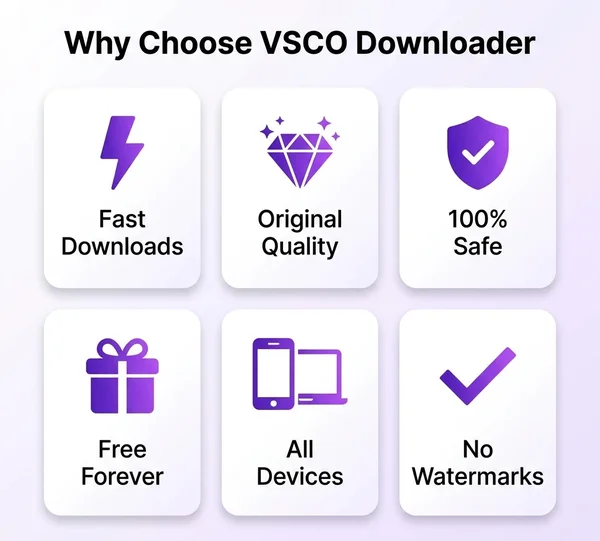
Proses Kilat
Server berkecepatan tinggi memastikan unduhan selesai dalam hitungan detik.
Resolusi Asli
Tanpa kompresi gambar, warna dan detail tetap terjaga 100%.
Aman & Rahasia
Tidak ada penyimpanan data pribadi atau riwayat unduhan.
Gratis Selamanya
Tidak ada biaya tersembunyi atau langganan berbayar.
Semua Perangkat
Bisa diakses lewat browser di HP Android, iPhone, tablet, dan laptop.
Tanpa Watermark
Hasil unduhan bersih tanpa tanda air atau logo tambahan.
Perangkat yang Didukung
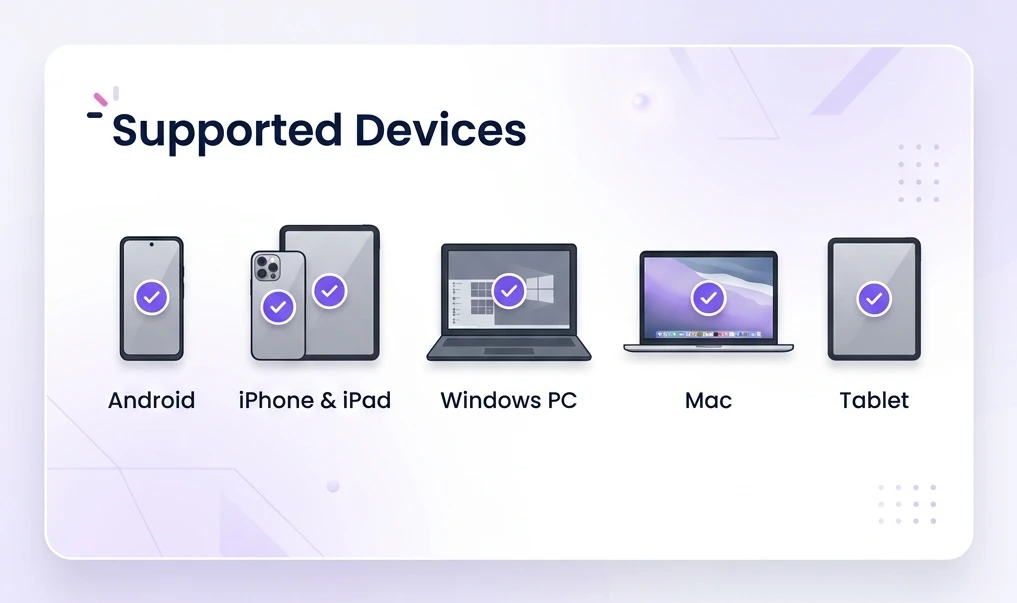
Android
VSCO Downloader works on all Android phones and tablets running Android 8.0 or later. Open any mobile browser, paste your link, and download files straight to your device storage.
iPhone & iPad
iPhone and iPad users can access VSCO Downloader through Safari or Chrome without installing anything. Downloaded photos save directly to the Photos app, and videos go to your Files folder.
Windows PC
Windows users on Windows 10 or Windows 11 can run VSCO Downloader in any desktop browser. Files save to your default Downloads folder with one click.
Mac
Mac users can open VSCO Downloader in Safari, Chrome, or Firefox on macOS. The download experience is smooth, fast, and fully compatible with Apple Silicon and Intel Macs.
Tablet
Tablets from Samsung, Lenovo, Amazon, and other brands run VSCO Downloader without issues. The responsive layout adjusts perfectly to larger screens for comfortable browsing and downloading.
Browser yang Didukung
Google Chrome
Chrome delivers the fastest experience with VSCO Downloader on both desktop and mobile. All download features work flawlessly in Chrome version 90 and above.
Mozilla Firefox
Firefox users enjoy full compatibility with every VSCO Downloader feature. The tool performs reliably in Firefox on Windows, Mac, Linux, and Android.
Microsoft Edge
Microsoft Edge supports VSCO Downloader natively on Windows 10 and Windows 11. Edge's Chromium engine ensures smooth performance and fast downloads.
Safari
Safari works perfectly with VSCO Downloader on Mac, iPhone, and iPad. Downloaded files integrate directly with Apple's file management system for easy access.
Supported Download Types
Photo Downloader
Save individual VSCO photos in full resolution. Every photo downloads as a high-quality JPEG or PNG file.
Image Downloader
Grab any image from a VSCO post, including edited and filtered versions. The downloaded image retains all original edits and color adjustments.
Video Downloader
Download VSCO videos in their original format and resolution. Video files save as MP4 for universal playback compatibility.
Profile Downloader
Extract all public media from a VSCO user's profile page. The profile downloader organizes files for batch saving.
Gallery Downloader
Save entire VSCO galleries and collections with a single link. Gallery downloads preserve the original upload order and quality.
Bulk Downloader
Download multiple VSCO files in one session without re-entering links. The bulk downloader streamlines the process for large collections.
About VSCO and Our Downloader Tool
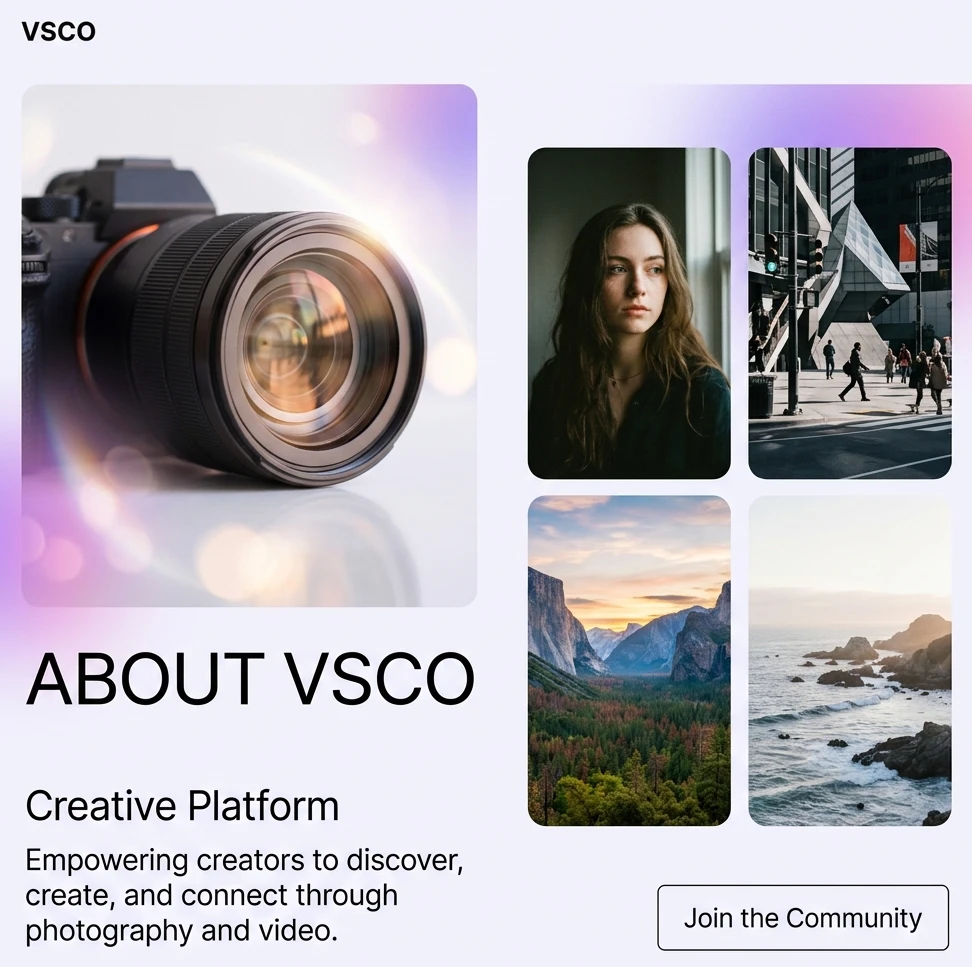
VSCO is a creative platform built around photography, videography, and artistic expression. Millions of creators use VSCO to edit photos with professional-grade filters, share their work with a supportive community, and build visual portfolios. The platform attracts serious photographers who value aesthetic quality over social metrics like likes and follower counts.
This VSCO Downloader tool exists to help people save and organize the creative content they discover on VSCO. A professional photographer can back up their own uploads for safekeeping. A graphic designer can save reference images for mood boards and client presentations. An art student can collect visual inspiration for coursework and portfolio building.
The tool bridges the gap between VSCO's online-only viewing experience and the need to access content offline. Whether you are backing up your own creative work or saving publicly shared content for personal reference, VSCO Downloader gives you a fast and reliable way to do it.
Who Uses VSCO Downloader?
Professional Photographers
Photographers use VSCO Downloader to back up their own published work and save reference shots from other creators for study and inspiration.
Graphic Designers
Designers download VSCO images to build mood boards, develop color palettes, and gather visual references for client projects.
Visual Artists
Artists save VSCO content to study composition, lighting techniques, and editing styles from photographers they admire.
Art Students
Students collect VSCO photos for coursework, presentations, and portfolio development throughout their academic programs.
Content Creators
Creators download their own VSCO uploads for repurposing across other platforms and marketing channels.
Social Media Managers
Social media professionals save VSCO content for competitive analysis, trend tracking, and visual strategy planning.
Personal Collections
Everyday users save favorite VSCO photos for personal wallpapers, screensavers, and offline viewing.
Common Use Cases
Save Favorite VSCO Images
Keep a personal collection of your favorite VSCO photos stored locally on your device for quick access anytime.
Build Mood Boards
Download curated VSCO images to assemble mood boards for design projects, branding work, or creative brainstorming sessions.
Portfolio Backup
Back up your own VSCO portfolio to local storage so you always have copies of your published work outside the platform.
Offline Viewing
Save VSCO photos and videos for offline viewing during flights, commutes, or trips with limited internet access.
Creative Inspiration
Download VSCO content from creators you follow to build an offline inspiration library organized by style, subject, or technique.
Educational Reference
Save VSCO images for classroom discussions, photography workshops, and visual literacy courses.
Design Research
Collect VSCO images that showcase trending visual styles, color schemes, and editing approaches for design research.
Privacy, Security & Copyright
VSCO Downloader only accesses content from public VSCO profiles. The tool cannot bypass privacy settings, access private accounts, or download restricted content. Every link you submit goes through a secure connection, and the tool never stores URLs, download history, or personal information on its servers.
Copyright ownership of VSCO content belongs to the original creator. Downloading an image or video does not transfer copyright or grant permission to use the content commercially. Always credit the original creator when sharing downloaded content. Fair use allows personal backup, educational reference, and non-commercial research in most jurisdictions.
Use VSCO Downloader responsibly. Download your own published work for backup purposes freely. Save content from other creators only for personal, non-commercial use. Respect creators' rights, follow applicable copyright laws, and never redistribute downloaded content without proper authorization from the original photographer or videographer.
Free VSCO Downloader for PC, Mobile & Chrome Extension
VSCO Downloader (vscodownloader.com) is a top-rated free VSCO content downloader online tool built for high-speed media extraction. Whether you are using a desktop app, a mobile app on iOS or Android, or searching for a VSCO downloader Chrome extension, our web utility extracts original HD media directly. Learn how to download VSCO videos without watermark, save high-resolution photos, and archive complete user galleries without installing extra software.
VSCO Post Saver & Extension Alternative
Instead of downloading unverified Chrome extensions from the Chrome Web Store, use our web-based VSCO media downloader tool. It works seamlessly as an instant VSCO post saver on Google Chrome, Firefox, Edge, and Safari for PC and mobile.
VSCO Mass Downloader & Story Saver
Our VSCO story downloader tool online lets you save stories, reels, and posts with one click. Use the VSCO mass downloader tool to grab multiple high-quality images from any public profile or gallery.
Safe, Legal & Privacy Policy Compliant
Wondering is VSCO Downloader safe and legal? Yes! Our tool strictly adheres to VSCO terms of service and copyright laws regarding user-generated content. It connects via official VSCO API endpoints without collecting personal data or requiring login credentials.
Pro Tips for Using VSCO Downloader Effectively
01
Use Exact Post URLs
Copy the direct link to the specific VSCO photo or video you want. Profile-level URLs work for bulk downloads, but post-level URLs deliver faster results for single files.
02
Verify Profile Visibility
Check that the VSCO profile is set to public before trying to download. VSCO Downloader cannot access private or restricted accounts, so confirm visibility first.
03
Organize Downloads by Folder
Create dedicated folders on your device for different VSCO creators, projects, or themes. Organized storage makes it easier to find files later.
04
Credit the Original Creator
Tag or mention the photographer when sharing downloaded VSCO content on other platforms. Giving credit builds goodwill and respects the creator's effort.
05
Save Content for Creative Inspiration
Build a local inspiration library sorted by visual style, color palette, or subject matter. Having offline references speeds up your own creative process.
06
Back Up Your Own Work First
Use VSCO Downloader to create local backups of your own VSCO portfolio. Platform outages, account issues, or policy changes can make cloud-only storage risky.
07
Check the Downloaded Resolution
After downloading, open the file and verify the resolution matches your needs. VSCO Downloader grabs the highest available quality, but original upload resolution varies by creator.
Pertanyaan yang Sering Diajukan (FAQ)
Alat online gratis untuk mengunduh foto dan video dari akun publik VSCO kualitas HD.
Tidak, layanan ini 100% gratis dan tanpa batasan jumlah unduhan.
Tidak perlu, cukup gunakan browser internet favorit Anda.
Tidak bisa, hanya postingan dari akun publik yang dapat diunduh.
Downloading publicly shared content for personal use is generally permitted under fair use guidelines. You should only download content with the creator's permission when using files for commercial or public distribution. Always credit the original creator and follow your local copyright laws.
Private profiles and restricted content are not accessible through VSCO Downloader. The tool only works with publicly shared VSCO posts. Contact the creator directly and request access to their content if their profile is set to private.
No, there are no download limits. You can download as many VSCO photos and videos as you need without daily caps, file size restrictions, or session timeouts.
To save VSCO videos to your phone's gallery, copy the VSCO video URL, paste it into the URL input field above, and tap Download. The video saves as an MP4 file directly to your camera roll on iOS or your Downloads folder on Android.
Yes, you can download VSCO stories without creating an account or logging in. Simply copy the public story link, paste it into our online VSCO story downloader tool, and save the media instantly.
Yes, VSCO Downloader works on PC, Mac, and all desktop browsers without needing a separate Chrome extension. Access vscodownloaders.com directly in Chrome or Edge on Windows/Mac for full PC downloading capabilities.
To download a VSCO profile picture (avatar), copy the profile URL (e.g. https://vsco.co/username), paste it into our search bar, and click Download. The tool extracts the original high-resolution avatar image ready to save.
VSCO Downloader fetches files directly from VSCO's CDN at the original creator resolution (up to 4K Ultra HD). There is zero compression, re-encoding, or downscaling applied.
Final Thoughts
VSCO Downloader gives you a straightforward way to save photos, videos, and profile pictures from any public VSCO profile. The tool processes downloads in seconds, preserves the original file quality, and works on every device and browser you own. There are no ads interrupting your workflow, no sign-up forms blocking your access, and no limits on how many files you can save.
Speed, security, and quality sit at the core of this tool. Your data stays private, your downloads arrive clean without watermarks, and every file matches the creator's original upload resolution. iPhone users, Android users, PC users, and Mac users all get the same reliable experience.
Use VSCO Downloader responsibly. Credit original creators, respect copyright, and keep downloaded content for personal or educational purposes. Bookmark this page and come back anytime you need to save VSCO content quickly and safely.